
The Display operates in two different modes – DASHBOARD and SETUP – and each offers a sequence of screens with useful information:
-
DASHBOARD screens are available while driving and display information about your transmission, COMPUSHIFT II and vehicle. The system displays information either in US standard or metric units, and you can select which you prefer in SETUP mode. The next section explains the Display DASHBOARD Screens.
-
SETUP screens are available when your vehicle is stopped and the engine is off with ignition switch on. SETUP allows you to change the Controller's programming. When COMPUSHIFT II is in SETUP mode, control of the transmission is disabled. SETUP is covered further in Display SETUP Screens.
Never try to enter SETUP mode while driving.
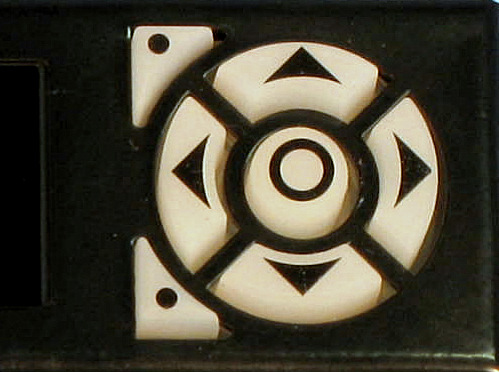
The buttons functions are standard throughout the screens:
|
||
|
Button |
Function |
|
|---|---|---|

|
Up / Down Arrows |
Increase / Decrease Value |

|
Right / Left Arrows |
Next / Previous Screen |

|
Center |
Select / Save |

|
Top Left |
Option |

|
Bottom Left |
Exit / Go Higher in the Menu |