
COMPUSHIFT II offers an A-B mode feature. This allows you to configure two different setups (A and B) for your system in advance, and then switch between them easily.
For example, you could configure Mode A for performance driving and Mode B for hauling heavy loads.
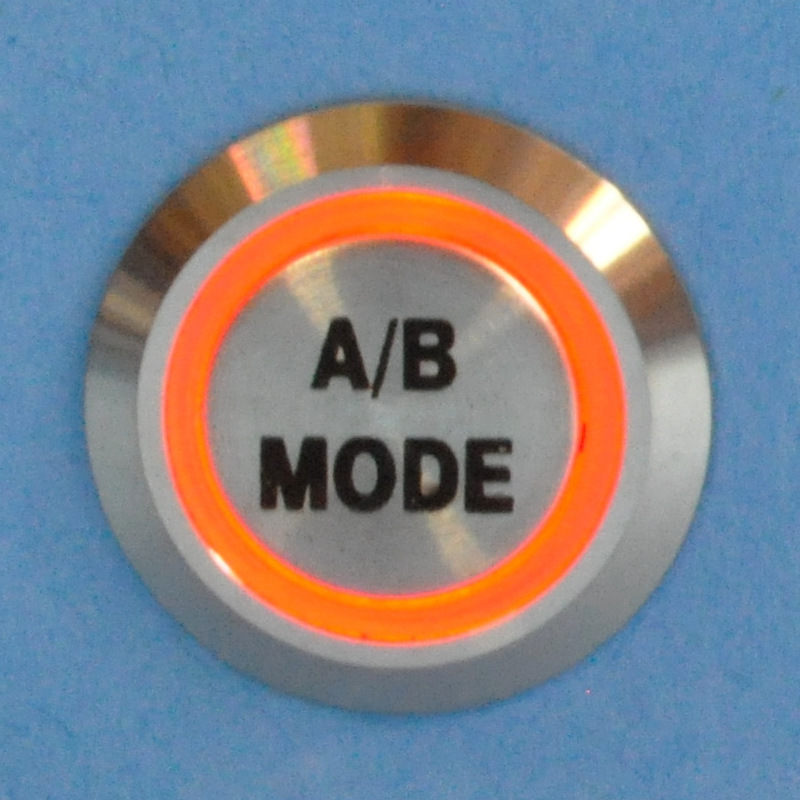
To change between modes, use a momentary, normally-open switch. HGM offers an engraved billet switch that features an LED lamp to indicate the mode.
Installing the Switch
-
Locate a position that is easy to reach from the drivers seat.
-
Drill a 19mm or 3/4" hole for the switch.
-
Install the switch from the front with the o-ring in place.
-
Install the nut on the rear of the switch. Tighten gently.
-
From the switch, the black and yellow wires connect to ground. These wires have a ground lug already installed.
-
The green wire on the switch connects to the blue/orange wire from the COMPUSHIFT II engine harness marked "MODE SWITCH"
-
The red wire from the switch connects to the blue/red wire from the COMPUSHIFT II engine harness marked "MODE SWITCH LED"
Using the Switch
When you start the vehicle, the system will always start in Mode A.
To toggle between modes, press and hold the button for 3 seconds. The ring on the switch will light when you are in Mode B.
DASHBOARD Screens
A-B Mode is available for two of the DASHBOARD screens: Shift Speed Adjust and Shift Pressure Adjust.
-
You will only be able to see and adjust the setting for your current mode.
-
You can adjust these on the fly by pressing the up or down key.
SETUP Screens
Within the SETUP screens, many settings offer an Mode A/B feature.
-
The settings that are intrinsic to your vehicle (such as vehicle weight and final drive ratio) do not offer Mode settings; they are constant for both modes.
-
You should only enter SETUP mode when it is safe to do so. Do not attempt to adjust these settings while driving.