
Overview
The Cummins R.28 CM2220 engine package provides J1939 communication over CAN bus which is compatible with the COMPUSHIFT controllers.
Wiring to the CAN bus can be difficult because Cummins hasn't provided a connector for it.
Installation
The standard CAN bus connectivity kit HGM provides for the COMPUSHIFT installation (usually CAN-6) has a CAN bus tee and terminator at one end, and a black Deutsch plug and socket combination at the other. The Cummins loom has two termination resistors provided already, one at the engine side in the engine compartment, and one at the gauge side, in the vehicle. HGM recommends removing one of these resistors and replacing it with the supplied black two pin Deutsch socket. From there, route the rest of the harness to the COMPUSHIFT controller, and plug the gray connector on the COMPUSHFIT into the supplied tee.
Engine Side
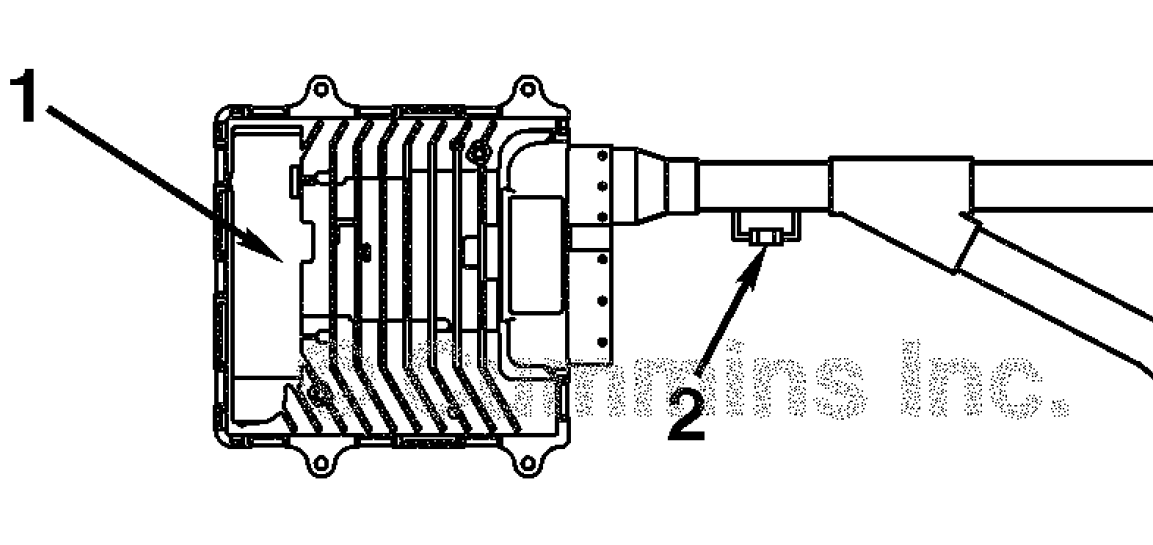
-
Engine ECU
-
Terminating Resistor
Gauge Side
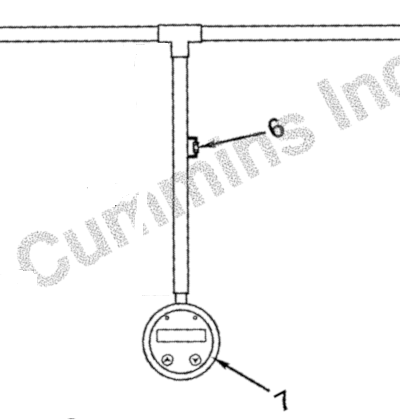
6. Terminating Resistor
7. Gauge
Making The Connection
Cut the terminating resistor from one end of the Cummins loom. Connect the HGM provided harness as follows in place of the resistor.
|
HGM CAN
|
Cummins
|
Cummins ECU Pin |
|---|---|---|
|
TAN/BLACK |
YELLOW |
14 |
|
TAN |
GREEN |
15 |
COMPUSHIFT Controller Parameter Settings
|
Parameter |
Setting |
|---|---|
|
Vehicle Settings > Engine Type |
J1939 High Speed Diesel |
|
Network Settings > CAN Bus 1 Baud Rate |
500 Kb |
Do NOT drive the vehicle until you have confirmed CAN communications are working properly and you have no trouble codes.
You can diagnose CAN bus problems by going to Diagnostics / Network Diagnostics on the CS Setup App. CAN 1 Receive Count should be steadily increasing when the ECU’s are communicating correctly. The error counts should always be 0.
Related Articles
- Connectors Used In CAN Networks
- Connecting COMPUSHIFT to Holley Sniper EFI or Holley TerminatorX
- Connecting COMPUSHIFT to Holley EFI / Racepak
- HGM CAN Bus Messaging
- Connecting COMPUSHIFT to AEM ECU's
- Connecting COMPUSHIFT to Emtron
- Connecting COMPUSHIFT to Cummins R2.8 CM2220
- Connecting COMPUSHIFT to Chrysler HEMI Crate Engine
- Adding an ECU to a CAN Bus Network
- Connecting COMPUSHIFT to Edelbrock ProFlo 4
- Connecting COMPUSHIFT to Haltech Elite or Haltech Platinum
- Connecting COMPUSHIFT to Megasquirt
- Using and Working with CAN Bus
- Connecting COMPUSHIFT to Link G4+ ECU
- Connecting COMPUSHIFT to J1939 Engine Management